Project: I have created a record randomiser - this is built using an ESP32 microcontroller, it takes an input from a button, checks the discogs API
I decided to build it using an ESP32 - I chose this for a couple of reasons, its small, has internet capability built in, is very cheap, very well documented, could be powered easily (USB) and supports low power modes - it also has bluetooth support.
I bought, a little kit from aliexpress, it had an ESP32 in it, a breadboard and wires, a screen, it also had buttons, speakers, and a bunch of sensors.
I have had a bit of experience with coding for microcontrollers - in university I did a couple of papers that included microcontrollers, but I have largely forgotten it, and not done a lot to do with it since then.
Following some YouTube tutorials I wrote this using platform io for visual studio code.
DESIGN:
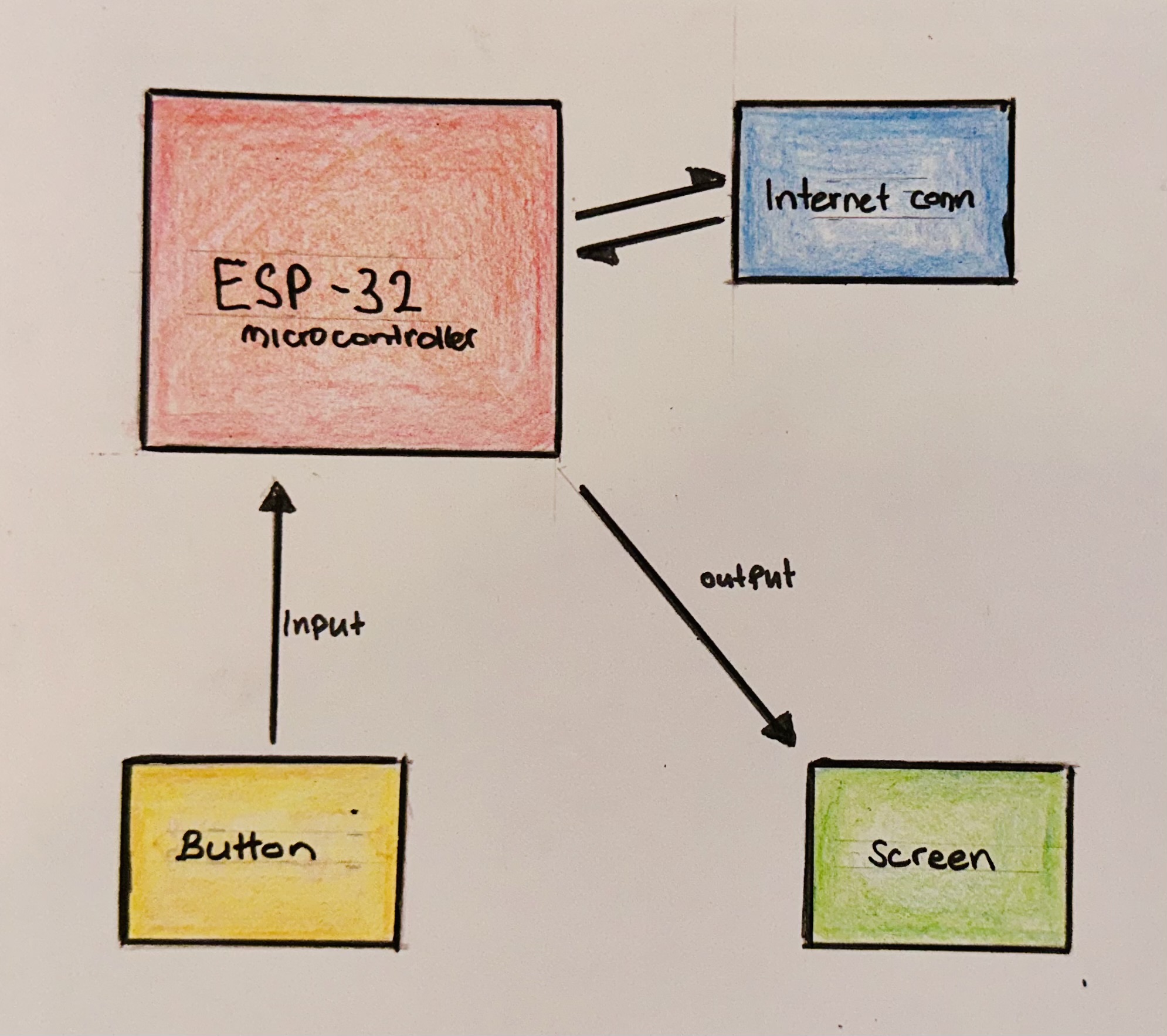
Here I will discuss the steps taken to make this:
To start with, I wanted to make sure that the ESP32 was working - so using the development boards pin 2 (the LED) I made a program that would turn off an on the LED - this worked well, so I moved to incorporating a button into this (that pressing a button would turn on the light for a defined period of time)
Once I was happy that we were able to use the button - I set to work setting up the screen that came included in the kit - this was fairly simple (that I would later make more difficult by incorporating a different screen) - but for a MVP type process this was fine.
I set a basic output for the screen (just displaying some text saying the button had been pressed) - this was also viewable in visual studio code in the serial monitor.
The next part was making sure we were able to connect to the network again following some online guides. This puts in the username password for the hardcoded - which means if I ever change wifi networks I’ll need to change them later. For the time being its pretty good.
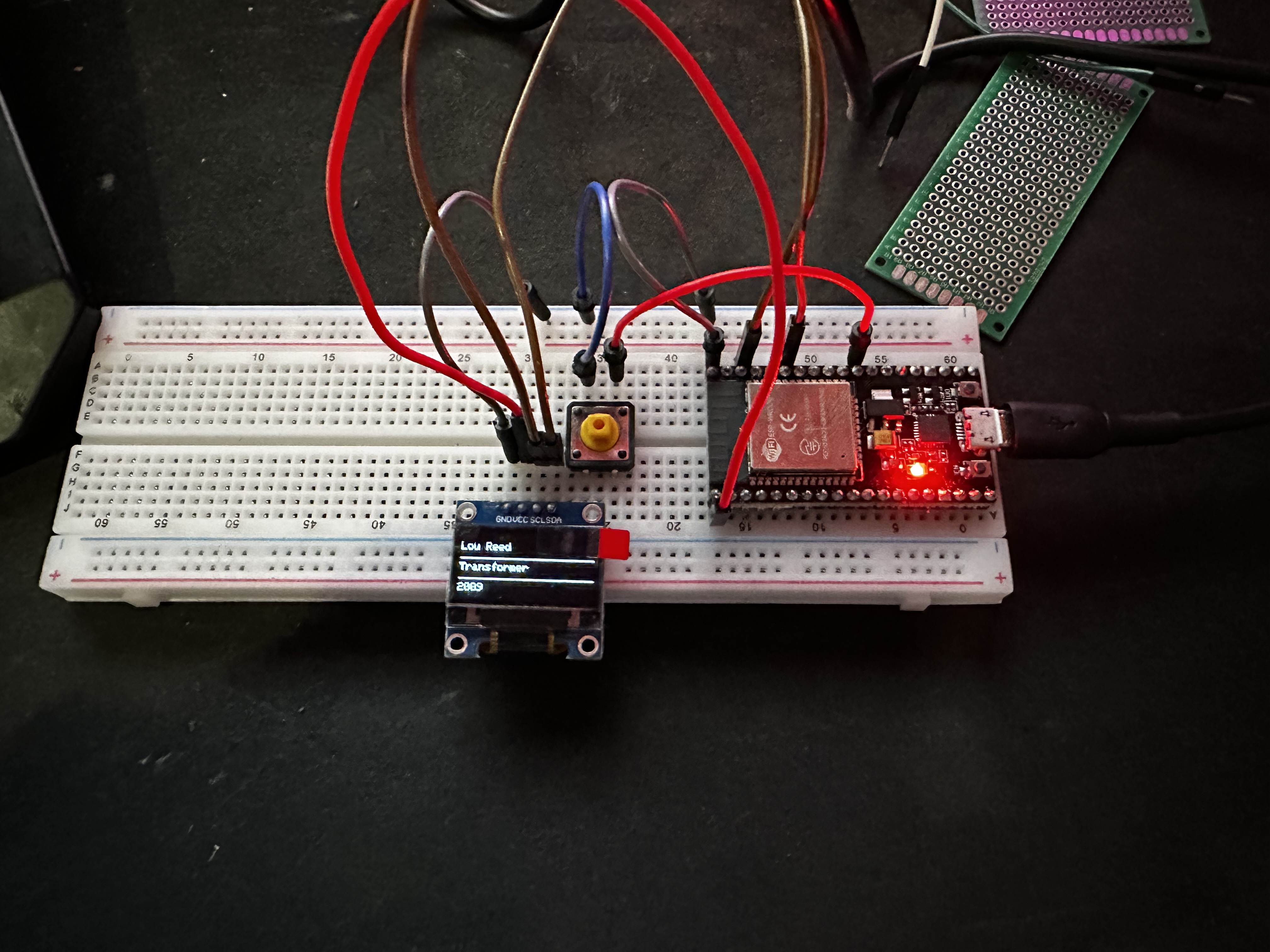
I originally made this on a little breadboard that came with the kit.
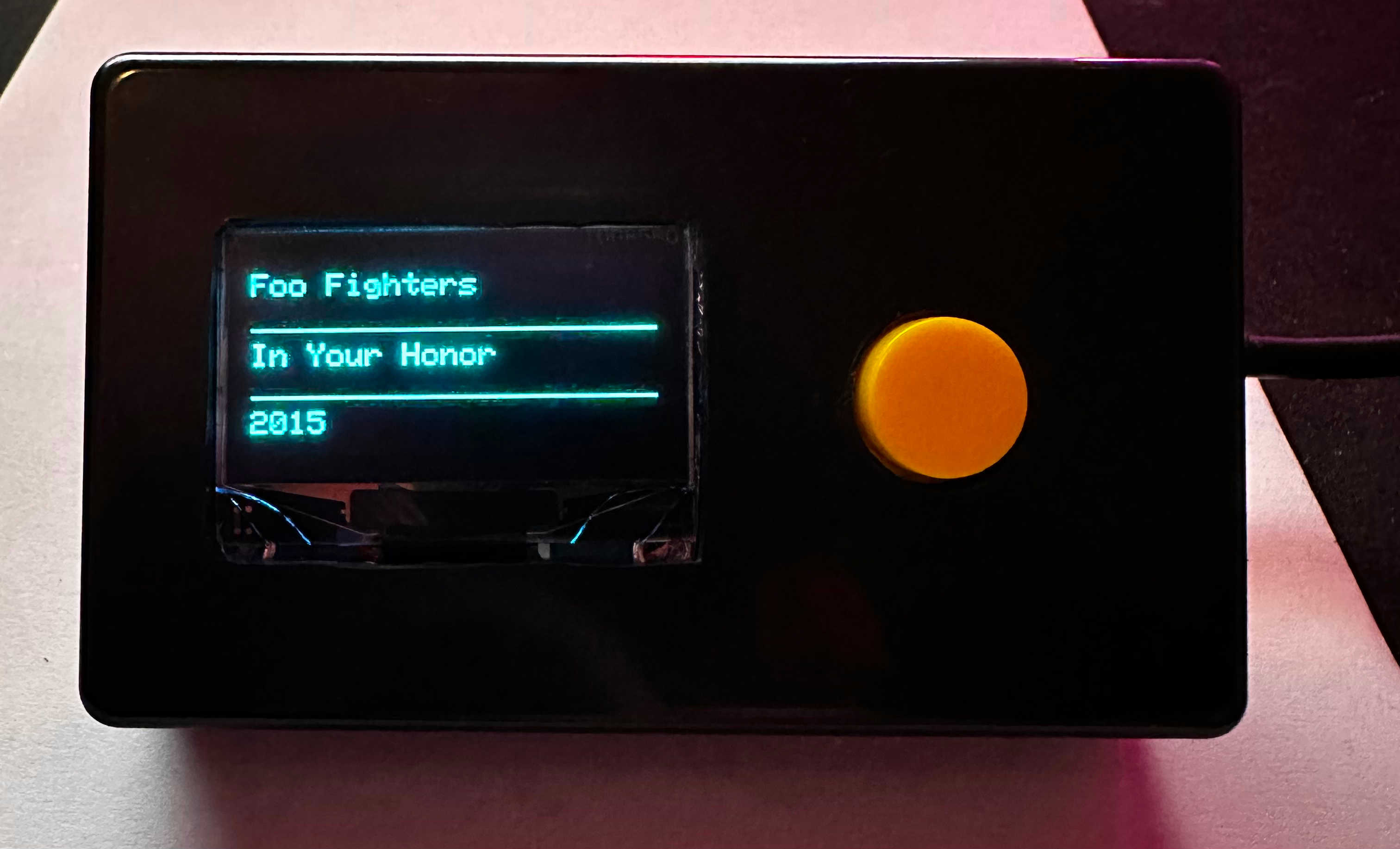
After I was happy with the functionality - I moved it to a small project box that I had lying around. giving me my final project.
I have included my full code here: https://github.com/GingerSean/recordrandomizer